Emerald Object Library | v26.6.11
This is a native release for Microsoft Flight Simulator 2024. It is not backwards compatible with MSFS 2020. You can download that version here!

Available on the Microsoft Flight Simulator 2024 Marketplace for PC & Xbox!
And from these other vendors (PC only):
What Is Emerald Object Library?
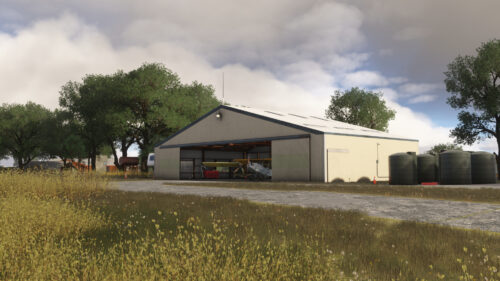
Emerald Object Library is a collection of static and dynamic models, materials, Wwise sounds, and VFX produced by Emerald Scenery Design. It allows us to push fixes for common assets across multiple products at once, as well as keep the required space of our addons to a minimum by eliminating duplicates in each project. This library is a dependency of all Emerald Scenery Design addons and must be installed for them to function correctly!
This library may also be used by other developers in their freeware addons. If you are interested in using it as a dependency in your project, please see the Developer Terms of Use tab! Libraries can be found in the scenery editor under Scenery, SimObjects, WorldScripts, and Materials by searching:
- ESD_AC (Aircraft)
- ESD_Anm (Animals)
- ESD_Bld (Buildings)
- ESD_Clu (Clutter)
- ESD_Env (Environmental)
- ESD_Ind (Industrial)
- ESD_Veg (Vegetation)
- ESD_Veh (Vehicles)
Dynamic Features are found under SimObjects and WorldScripts. Please see the documentation for more information!
As of June 10, 2021, Emerald Scenery Design authorizes groups and individuals to reference this library package in their freeware creations. The following terms of use apply:
- The end-user must obtain this package from an official download source (At flightsim.to, ORBX, or here at emeraldscenerydesign.com). Please refrain from packaging it with your add-on or de-compiling it to include partial files for any reason, as it can result in outdated, broken, or conflicting add-ons.
- Please credit Emerald Scenery Design in your description/documentation by either providing a direct link to the libraries on our site or the URL of our homepage (https://emeraldscenerydesign.com/).
Please understand that the Emerald Object Library is primarily built for and intended to be used with Emerald Scenery Design products. I will add models as I create or acquire them for my projects. Additionally, please be aware that objects may be updated or, in the worst-case scenario, removed altogether. I try to make these changes as seamless as possible by usually replacing objects rather than removing them. However, no notification of these changes will be published, except in the release change log. So, please give it a quick read after each update!
Supported Sim(s)
Microsoft Flight Simulator 2024
File Format: Zip
File Size
1.42 GB (Compressed), 2.22 GB (Uncompressed)
June 11, 2026 | v26.6.11
Some files have changed. Please remove the old package to ensure there are no leftovers!
- Added clutter models: Box3, Engine_Hoist_Blue, Engine_Hoist_Red, Ladder_Green, Ladder_Orange, Oil_Bottle, PartWashStation_Blue, PartWashStation_Red, Shelf_Plastic, Shelf_Plastic_Clutter1, Shelf_Wood2, Shelf_Wood2_Clutter1, Storage_Cabinet1, Storage_Cabinet2, Table_Plastic, Table_Plastic_Clutter1, Tool_Chest_Black, Tool_Chest_Grey, Tool_Chest_Red, Lantern_Large, Stone_Wall_Mossy, Campfire_NoFX, BurnBarrel_NoFX.
- Added vegetation models: BasketGrass1-3, Coleus1-3, Lilyturf1-3, PurpleHeart1-5, SpinelessYucca1-4.
- Added materials: ESD_Ground_Mulch.
- Added collisions to Fence_Wood01 and Fence_Wood02.
- Fixed Fox call exterior sounds too loud.
- Fixed missing Trash Can textures.
- Reworked all SimObject XMLs using Asobo Animation and VFX templates to use 2024’s EX1 CompileBehaviors.
- Reworked all SimObject XMLs using visibility code to no longer call Asobo template (minor code performance improvement).
- Tweaked WaterCalm SFX to always play and no longer be controlled by temperature.
September 2, 2025 | v25.9.2
- Added new materials: Asphalt_Rough.
- Added new models: WaterTank (5 variations), GardenHose (3 variations), TrashCan (4 variations).
- Adjusted volume of Horse Wwise sounds (lowered).
- Adjusted walk speed of Wild Boar to better match animations.
- Fixed Alligator sliding when not placed on level ground.
- Fixed rainbow colors on last LOD of Firewood_Shelter, Shed_Medium, & Shed_Medium2.
- Fixed WaterCalm Wwise SFX only playing interior sound. Adjusted attenuation distance.
- Fixed Wwise sounds being highly dominant in one ear depending on where the emitter is located in 3D space (hard panning).
- Improved LODs: FlowerPot.
- Removed deprecated DistanceToNotAnimate tag in SimObjects.
March 21, 2025 | v25.3.21
This is the initial native release for Microsoft Flight Simulator 2024. It is not backwards compatible with MSFS 2020. You can download that version here!
- Added new ground materials: Dirt02, ForestFloor01, Sand01.
- Added new models: Grapevine_06m, Cone02, Cone03.
- Added new vertex paint material to give metal roofs of Cabin, Cement, & House building models better reflectivity and shading for a less noticeable LOD transition.
- Adjusted LOD minsizes to switch further from the camera: Bulldozer, Roller, Loader, Excavators, Oak01-08, OakDead01-08.
- Adjusted Palm Tree vertex colors for a less noticeable LOD transition at a distance.
- Adjusted roughness of Tires vertex material for a less noticeable LOD transition at a distance.
- Enabled De-Tiling feature for Gravel01 material (makes tiling effect less noticeable).
- Fixed incorrect wood grain direction on stairs of Cabin08. Also adjusted door glass grunge.
- Fixed inverted normals on light fixture of OutHouse03.
- Fixed Log_Group01-05_2 final LOD vertex color matching.
- Fixed missing grunge on roof of Cement building and Silo_Tall.
- Fixed missing metallic on various roof parts (caps, edges) of Cabin01-07, House01-04, & Cover01.
- Fixed Snow Berm final LOD vertex color being too dark due to misconfigured metallic value.
- Improved Abandoned Cottage: Merged loose model parts, fixed model base elevation, reworked material, added LOD, added collision.
- Improved Airstream Camper: New model with much cleaner geometry.
- Improved Bathroom: Reworked LODs, improved shading, increased lights emissive bloom.
- Improved Bears: New custom model to get away from importing Asobo assets.
- Improved Buckets: Repacked UVs and baked textures, color variations now use vertex paint for reduced texture memory, reworked LODs, added collision.
- Improved Butterflies: New wing flap animation, increased path animation speed to better match wings animation, merged wing backface parts, instanced wing mesh.
- Improved Camper_5thWheel_1 & 2: Improved shading, fixed bake issues due to paint and final UVs being slightly different, reworked LODs.
- Improved Campfire VFX: New smoke texture, tweaked opacity and fade-out, tweaked fire spawn rate, tweaked smoke and heat velocity, fire and sparks are now affected by wind.
- Improved Chimney Smoke VFX: New smoke texture, tweaked opacity and fade-out.
- Improved Fence Divider Left & Right: Reworked LODs, added collision.
- Improved FlowerPot_Plant: Last two LODs now use only vertex paint, fixed XML typo that was causing one LOD to be skipped.
- Improved FuelTank & FuelTank_Extension: Now uses a single texture set, added LODs, added collision, rebaked textures.
- Improved Grapevine_20m: Merged model parts, removed unnecessary material, added LOD.
- Improved Hedges (5 & 20m): Reworked LODs, retextured with tiling textures (higher resolution, less texture memory).
- Improved Horses: New custom model to get away from importing Asobo assets. The White horse has been replaced with a Black variant (Updating the SimObject title would break compatibility with other 3rd party sceneries calling the model).
- Improved Log1: Retextured using tiling textures for better texel density, increased mesh resolution, reworked LODs, added collision.
- Improved Log Stack 1 & 2: Retextured using tiling textures for better texel density, improved shading, reworked LODs, added collision.
- Improved Old Wood House: Fixed model base elevation (floating), reworked material, added LOD, added collision.
- Improved Propane Large: Fixed shading, adjusted material roughness, cleaned up duplicate & stray verts, reworked LODs, added collision.
- Improved Pumpjack: Added LODs, fixed shading.
- Improved Railroad Bridge: Fixed shading, fixed incorrect normal map format, instanced geometry, reworked LODs, added collision.
- Improved StoragePod & StoragePod_Sign: New models with cleaner geometry and better packed UVs, overhauled textures.
- Improved Stump1: Retextured using tiling textures for better texel density, increased mesh resolution, improved shading, reworked LODs, added collision.
- Improved Stump2: Retextured using tiling textures for better texel density, fixed shading, reworked LODs, added collision.
- Improved Well Shack: Fixed missing shading for electric box panel lines, fixed wrong wood grain direction on some roof boards, reworked LODs.
- Increased resolution of Dirt01 and Gravel01 ground materials.
- Removed BurnBarrel VFX: BurnBarrel now uses Campfire VFX.
- Replaced Road Cone with new Cone01 model.
- Reverted SimObjects to call needed templates directly instead of common.xml, as it was loading unnecessary templates.
- Reworked ESD_CTRL_Dynamic script to be more efficient.
- Reworked LODs for Campfire, BurnBarrel, Cabin02-06, Cabin10-15, House01-04, Outhouse03, Beaver, Brick Pile, Block Concrete, Cart Rusty, Doormat, Firewood Shelter, Light Globe, Light_Medium, Light_Tall, Portable, MobileHome01, Dog House, Shed_Medium, Shed_Metal01, Shed_Metal03, Shed_Rusty, Shed_Rusty_Derelict, Shed_Frame, Bld_Cement1-3, Bld_Metal1-2, Potash Tank, Silo Tall, Warehouse, Cart Wood, Bee Hives, Rusty Mustangs, Forklift, GolfCarts, Glider Trailer, Rock01-12, Birch01-04, Pine01-07, Bilberry1-6, BlackLocust1-6, DwarfBirch1-6, SilverDownyWillow1-6, Shrub_Group1-3, GreenAlder01-04, Silverberry01, Willow01-03, Palmetto Group 12m, Log2-4, Driftwood1-2.
Which version of Emerald Object Library is best for me?
Emerald Object Library is available to download from a few difference sources. Here on the Emerald Scenery Design website, over at flightsim.to, through ORBX, and on the MSFS Marketplace.
Over the last several years, I have been asked what version is best. And it’s important to note first and foremost that no matter where you download EOL from, it’s the exact same product. Though, updates might not all arrive at the same time.
If you want the quickest updates, it’s always best to download EOL here on the website or over at flightsim.to. I publish both at the same time.
ORBX comes in close second and is usually updated same day or by the next day. You might prefer the ORBX version if you want an update manager outside of Marketplace.
Marketplace is the slowest to publish new updates, but over the last year QA has got a lot quicker. Updates could take as long as a week, but recent updates have been tested, signed off, and released within 2-3 days of submission. This option is best if you don’t care as much about getting the latest update right away. MSFS’ package manager will also tell you when an update is available, so you don’t have to worry about keeping track of it yourself.
If you are on Xbox, Emerald Object Library can only be obtained through the MSFS Marketplace!
You can find PDF documentation for this addon at the following link:
View Documentation & EULA